You're watching...

Tips for Choosing a Tablet Computer

Details

  • Description

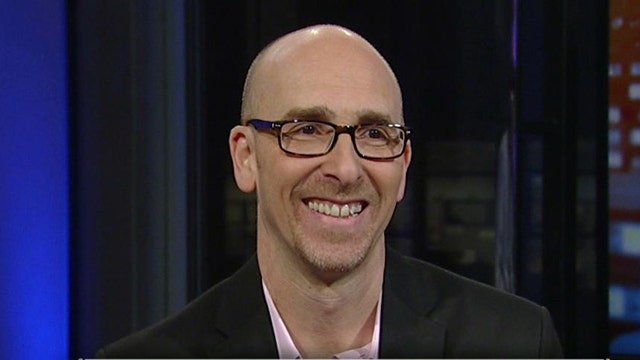
    Mashable Editor-in-Chief Lance Ulanoff offers tips to help consumers to decide which tablet computer to buy this holiday season.

  • Duration 5:15
  • Date

Clips

Also in this playlist...

Latest Video

Auto-advance: ON

Auto-advance

Transcript

This transcript is automatically generated

In September and if you're considering buying a tablet.

This holiday season as a gift maybe for yourself -- unlock herewith a look at features and prices -- -- navigate this whole thing -- Lance ulanoff editor in chief of Nashville back -- this is getting trickier and trickier because there's so many of them okay.

So we're -- take this step -- -- that's very complicated okay what are the main things to consider first stop.

C wants -- you know what's your budget.

Don't be and they range from you know one -- 200 all the way up to 800 dollars so as a really big range so it was all technology -- with your budget.

And what do you need to what do you do with it are you going to meeting all know that right what if you're only going to read.

-- I want it sit there okay -- there.

But I have to ask you this question -- I'm an apple -- you're familiar with all of the museum which once passed.

Hello that I that's that's that's a tough question is really gotten a lot harder it used to be very quick -- -- the apple iPad that's it and it -- story.

But now it's got some real competition I do have to say that I still think that the apple -- still is a level just a small level above the other guys in performance.

Ease of use.

And acts of course.

Apple iPad or iPad many you know they got the many know.

We iPad mini is probably be best looking sick nearly seven -- -- seven point nine inches.

But it's also more expensive than any of the other guys at 329 at a base level so.

If you value design and the apple ecosystem over everything else that is going to be your choice.

-- -- -- The Amazon Kindle fire my husband yes you have is it okay likes it for all kinds of things don't you make -- that -- spent time I've spent time actually have spent time not just with the Kindle fire and this is actually Amazon Kindle fire right here and and one of the reasons I'm not.

Always.

Crazy about it is I can't find the buttons on it.

But it's a gorgeous looking devices actually two version there's Amazon Kindle fire and -- Amazon Kindle fire.

-- -- -- HD HD eight point nine that's a large screen device again want you know from 129.

Up till like 299.

For the large the large -- if okay if you get a Kindle fire HD with three -- and you gonna pay like 369.

But.

Excellent devices that actually android devices but.

Two companies Barnes & Noble and Amazon have done something interest and they've hit an android so they have their own sort of custom interfaces.

Amazon has even put its own custom browser on here which is pretty good.

Though not as good to some of the Obama to deal with the Kindle fire they wanted to get he has something you can do everything within a one -- gonna talk about -- You make its size decision right if you somebody likes to carry around a -- you might get severance and I think you better do that's the -- of the day Atlanta not necessarily -- you can read you can listen to music you can browse the web you can do -- you can watch movies that all of that I've done all of that would establish baseball works very well they -- have dual core processors they're quite powerful.

This actually want is sort of standout features of these dolby speakers here so it's actually pumps out some married -- more than knock -- about about so this is the Barnes & Noble note HD plus and here's the thing about this that again another android four point oh device.

I've really affordable you don't have the seven inch devices 199 when this divisive and which is like I think and -- prices are coming down -- is like 269 -- You know here's the thing about this I keep doing that.

You'll notice that has -- profiles.

So this is really designed.

This -- really designed for use with like a family and -- profiles important if you have a kid.

You can set up the device and control what content they see by the -- Kindle fire also has free time which is are we had an all time with I kinda haven't moved fast you still just quickly do -- -- academic grant and -- to grab all the way over yet Google nexus seven other 199 android based devices based it's basically.

It's enjoyed all the way so nothing special about the design on -- and it's Google play.

Which is also -- the video editing I am Thursday but right for all of your wraps this is the best selection of android apps when you go -- Google right.

Really -- -- the surface.

OK so Microsoft this is a device that's built for productivity so this is really kind of a unique product tanked so.

Microsoft who designed this service tablet it's actually got a kick stand on it.

-- comes with a keyboard a keyboard.

And that's something I mean you could really do with any other so this -- -- really powerful device that actually comes with.

Office inside of it because he can do a lot reward with may have work.

Right you know it's funny that's what some people are said to me that they think they're gonna buy this but they know they gonna have to do work on it and a lot of the other devices the tablets all about content consumption.

Microsoft design -- more for way.

Right and markets are designed this with productivity in mind it's actually wider because you -- this -- the widest devices.

On the market are right Lance thanks for coming.

I think that's a big help to people I really I sure hope so -- really get some of those full screens on the on the web -- because it really lays out.

House works how to make that decision that say it yet -- have a ton of information on national that comes to national pullback kind of navigational WellPoint people thought -- I think he gets my templates -- Up up up up up up up.

-- --